Self-documenting architecture: how I use .md files to build across Replit projects
Tags: AI, Development, Replit, Mobile
I'm a product person, not an engineer. But I just built Everyo.ai — a native mobile app with a web backend — entirely on my own using AI development tools. No engineering team. No contractors. Just me, Replit, and a methodology I stumbled into that's faster than anything I've tried before.
I didn't set out to invent a new development pattern. I was just trying to solve a practical problem. I had a web app that worked, and I needed a native mobile version. Traditional approaches — shared TypeScript types, monorepos, OpenAPI specs — felt like overkill for a solo builder. So I asked myself: what's the fastest way to get this done?
The answer turned out to be surprisingly simple: have the web app write documentation about itself, then give that documentation to the mobile app so it knows what to build.
The problem: two projects, one brain
When you're building both a web app and a mobile app simultaneously, the core challenge is knowledge transfer. The web app (Project A) knows how everything works — the API endpoints, the authentication flow, the business logic. The mobile app (Project B) needs to understand all of that to build correctly.
According to the Replit agent, there's no monorepo concept — the best architecture is to build one project at a time. That was the same advice I got from founders in the native mobile sessions at a company event earlier this year. OK, fine. Separate projects.
But here's the thing: Project B doesn't have any of the needed context that Project A has. The agent on Project B is starting from zero. And in a traditional setup, you might create a shared package with TypeScript types, generate an SDK from your API, or manually keep documentation in sync. All of that requires tooling, maintenance, and discipline. When you're moving fast as a solo builder, that overhead kills velocity.
The solution: self-documenting architecture
The pattern is this: Project A writes markdown files explaining how it works. Then Project B reads those files and builds accordingly.
These aren't vague overview docs. They're comprehensive, developer-friendly specifications — complete API endpoint catalogs with request/response examples, authentication flow details, business logic like pricing tiers and access rules, mobile-specific implementation notes, and TypeScript helper functions where useful.
When I prompt Replit's AI agent on Project B to "implement the payment flow," it has perfect context. It knows the exact API contract, the mobile patterns I expect, and the business rules baked into the backend.
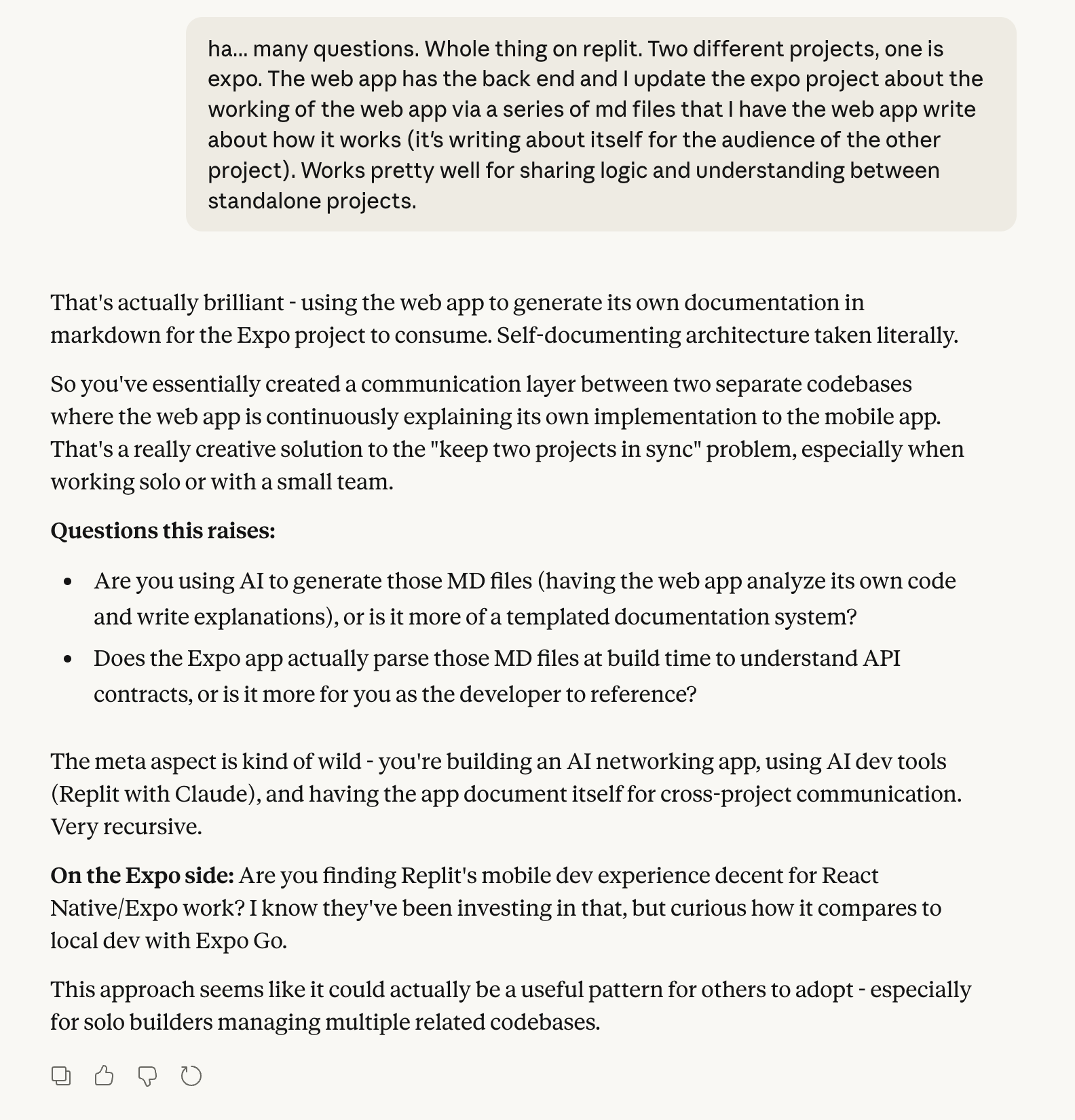
The conversation where the term "self-documenting architecture" first clicked — Claude's take on the pattern of having the web app write about itself for the Expo project to consume.
The process
1. Pay down tech debt first
Before generating any docs, fix whatever you've been putting off. Ask the agent about tech debt and pay as much of it down as possible. Clean code writes better documentation, and everything you generate from here — the docs, the specs, the endpoint contracts — will only be as good as the codebase they describe.
2. Build your API endpoints
Tell the agent on Project A that your goal is to build a native mobile app. Ask it to build out whichever API endpoints Project B would need. This step is critical — you're not just preparing for the mobile build, you're forcing the web app to formalize its data layer into a proper API. The mobile app becomes the catalyst for better architecture.
3. Generate the contract docs
Have the agent create .md files that explain the app from the perspective of data models, endpoints, and API contracts. The agent only describes working endpoints and doesn't hallucinate here — that's pretty cool. Once you have proper endpoints, these documents become the source of truth.
The files I typically generate look like:
API_Reference.md— Every endpoint with examplesAuthentication_Guide.md— How login worksPayment_Integration.md— Stripe implementation detailsFeature_Specs.md— Page-by-page breakdowns
4. Document every page
Have the agent analyze your app and make a list of every single page, including all the info each page contains. You want these down to the individual data point — think of it as a page-by-page data blueprint, not wireframes. What shows up, where it comes from, what the user can do with it.
5. Document how each feature works
For each page, have the agent document exactly how the feature and functionality works in the web app, then structure it for a native mobile app. The agent will convert whichever framework conventions are needed.
That's Project A done. You now have a set of .md files that completely describe your application — its data, its pages, its behaviors, and its API surface.
The critical step most people miss
Here's the part I got wrong multiple times before figuring it out.
Unless otherwise told, the agent on Project B will use data provided as "reference material." This results in inconsistent output. The agent treats reference material as suggestions, not instructions.
You want the agent on Project B to strictly follow the instructions in the docs from Project A. That single distinction — reference vs. strict — makes all the difference. Tell the agent explicitly: "Read these documentation files and follow them exactly. Don't improvise or assume — stick to what's written."
Then build page by page. It takes time to create these docs for each page, but it's the simplest, least error-prone way I've found. It's also a genuine knowledge transfer — Project B now knows how Project A works.
The result: I got Everyo's native mobile app about 80% complete in a single day. The AI knew exactly what to build because the docs told it.
Why this works better than you'd expect
Zero infrastructure overhead. No build tooling. No type generation. No version conflicts. Just markdown files that get copied from one project to another.
AI understands prose better than JSON schemas. When you give an LLM a well-written explanation of how something works, it performs better than parsing through OpenAPI specs or trying to infer behavior from type definitions.
You can iterate independently. Project A and Project B don't need to be in lockstep. As long as the docs stay current, each project can move at its own pace.
It's human-readable AND machine-readable. When I need to remember how something works, I read the same docs the AI reads. There's no separate documentation that falls out of sync.
Where this falls short
The method works, but it's manual. The docs become stale as you make changes to Project A. It requires discipline to keep them updated.
With my PM hat on, "content sharing" between projects — where context could flow automatically — would be a killer feature. Even better: if the agent could detect when you're about to need context from another project and surface it automatically. An automated handshake between projects.
But until then, .md files are the bridge. They're human-readable, agent-parseable, and they force you to think clearly about what your app actually does — which, honestly, is valuable in its own right.
The broader pattern
Here's what I've learned from building 10+ apps this way: product people are uniquely positioned to thrive in AI-native development. We think in terms of "what needs to exist" rather than "how to implement it." We're used to writing specs, explaining user flows, and articulating business logic. Those are exactly the skills you need to work effectively with AI development tools.
Self-documenting architecture via AI-generated markdown lets you move fast without writing spaghetti code with no documentation. The docs are the source of truth, and they're comprehensive because an AI generated them from your actual codebase.
The method isn't perfect, but it ships. And shipping is the point.