Moovin Tech
Tags: Startup, Technology, Product
Much of the technology that powers Moovin exists behind the scenes. For this reason, it can be difficult to fully grasp from an outside perspective the complexity of running such a rental furnishings company, and thus the importance of having the tech infrastructure Moovin has developed to support that effort. Simply put, without the tech layer Moovin has built it would be impossible to run such a company.
Thus, the secret sauce of building and scaling Moovin is its backend tech, which we call Moovin DB. This article is a deep dive into exactly what Moovin DB is, how it works, and what all we can do with it.
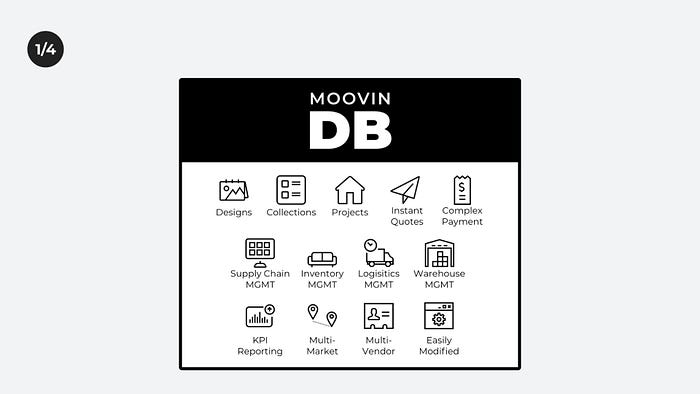
Moovin DB Snapshot:
- 20 months of development
- 32 Staged and Custom Design Units
- 70 Logistics Jobs
- ~2,500 SKUs in the catalog
- 496 Owned Items
- 31 Furnishings Suppliers
- 2 Logistics Carriers
Capabilities:
- Multi Vendor
- Multi Carrier (3PL)
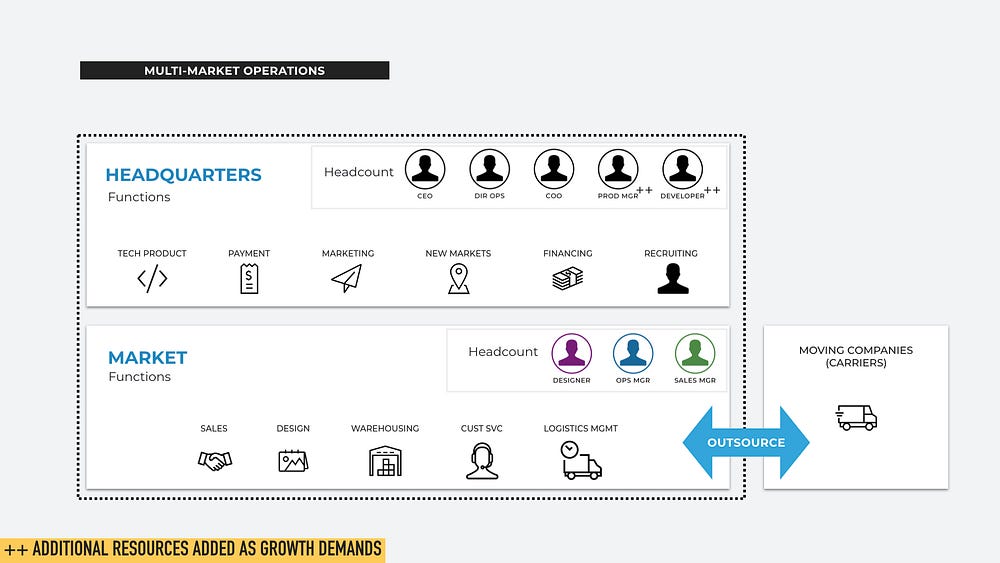
- Multi Market
Benefits
- Easily changeable
- Easily upgradeable
Features
- Catalog
- Owned Inventory
- Labeling
- Designs & Templates
- Collections
- Purchase Orders & Shipments
- Warehouse Management & Storage
- Customer Contracts & Payment
- Logistics (Staged, Custom, Moving, Receiving)
- Projects (Staged, Custom, Moving)
- Quotes (Staged, Custom, Moving)
- Financial & Managerial Reporting
Catalog
The catalog functions as an internal version of Amazon where we can readily add items to a design to see how things work together. Moovin DB dynamically adjusts costs and rental fees as catalog items are added to and removed from to a design.
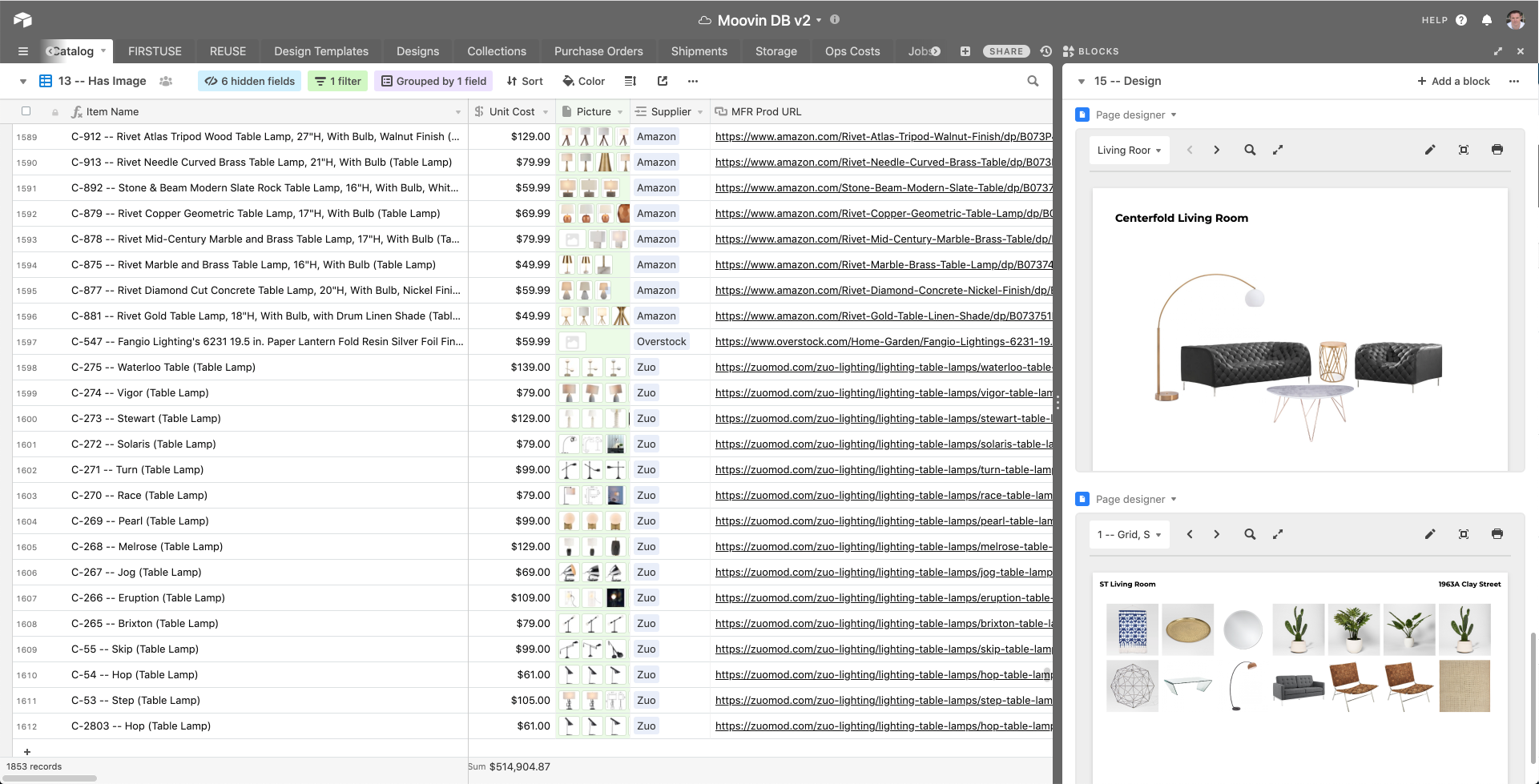
The catalog allows visualization and analysis of items that we might consider purchasing for a given design or even a specific project, prior to actually buying them.
Moovin DB keeps track of numerous points of data about each item, including the unit cost, the product URL, the type of furniture item, the number of boxes the item includes, ordering availability, dimensions, and a lot more.
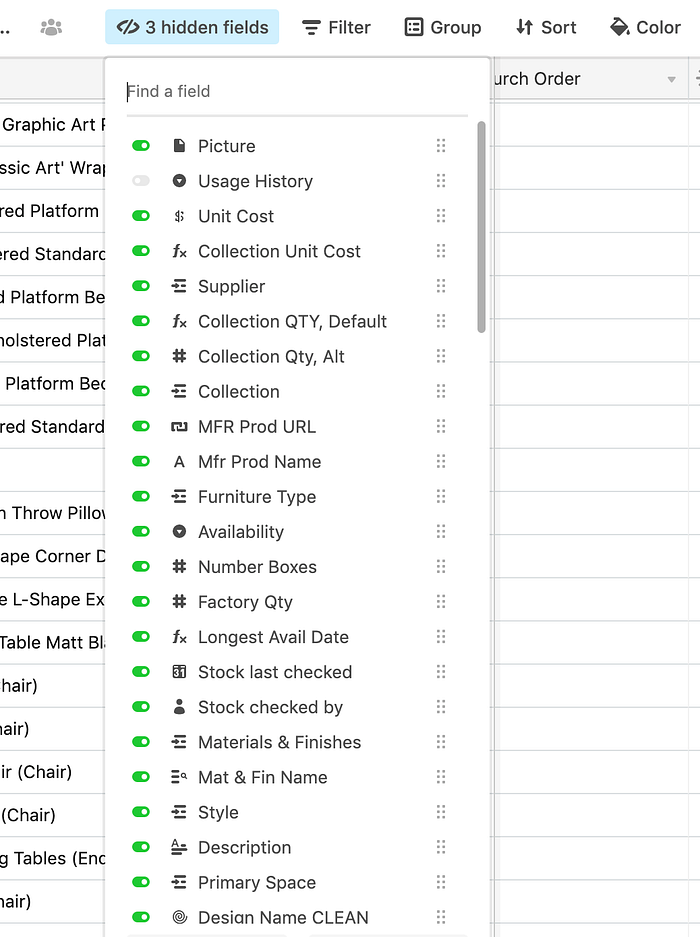
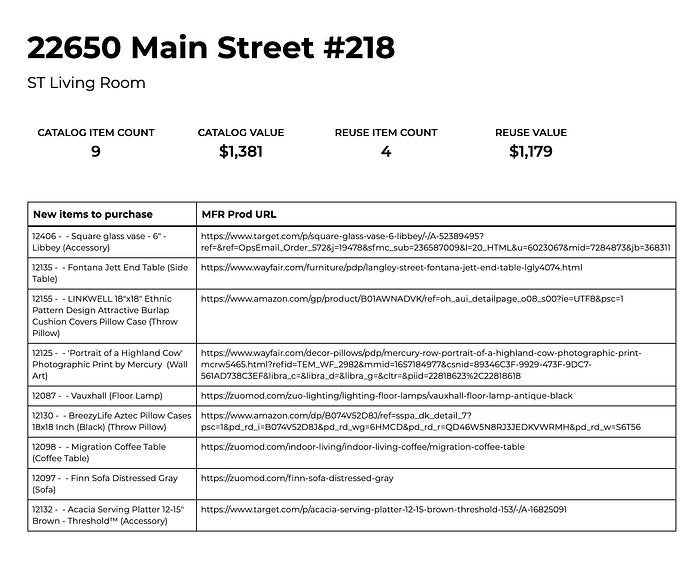
Having all items listed here makes the design effort much easier, and subsequently speeds up the purchasing effort as well. When an item is added to a design and the design is finalized, Moovin DB will generate a purchase sheet to keep procurement organized and speed up the workflow.
Owned Inventory (Firstuse and Reuse)
While the catalog shows the inventory we don’t own, Moovin DB obviously also keeps track of inventory we do own. But this can get a bit complicated because any given project might include a mix of previously owned inventory as well as new inventory we need to purchase for that project. We refer to these concepts as Firstuse and Reuse.
Firstuse is the inventory that is being used for the first time in a project (i.e. it’s brand new), whereas Reuse is for items that have already been used before. Moovin DB keeps track of what inventory is available and what isn’t so the designer can quickly review the inventory options for a given project and make a decision.
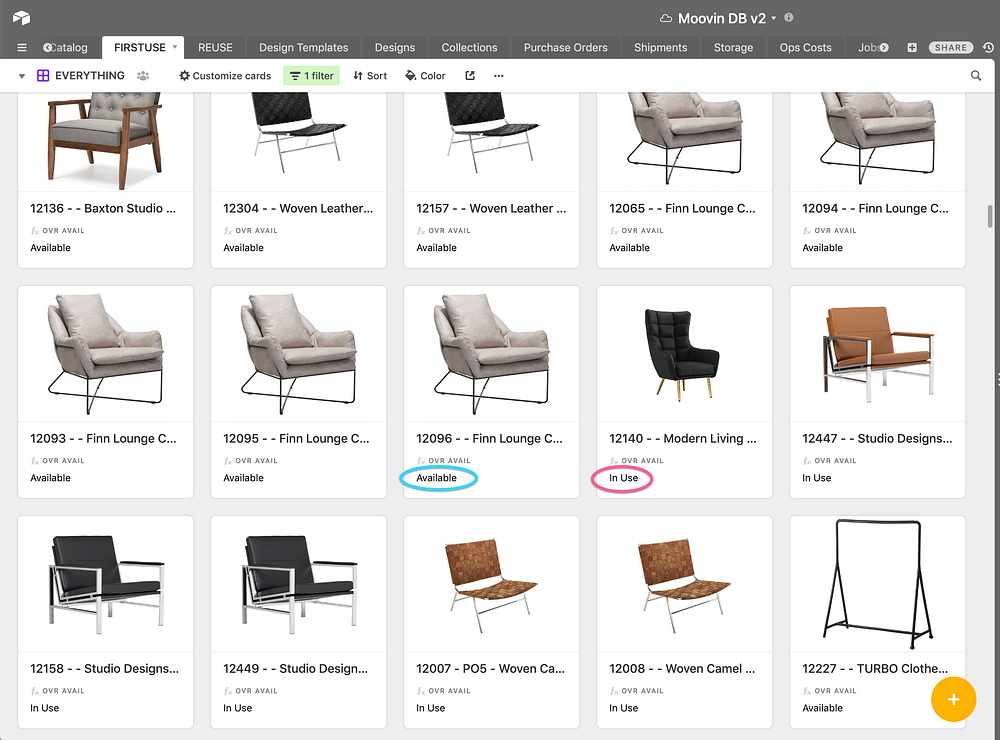
Moovin DB also keeps track of how many times given items have been used, thus providing insight into consumer demand that informs future procurement. In the example below, this coffee table is fairly popular so we’ve used it 6 times already.
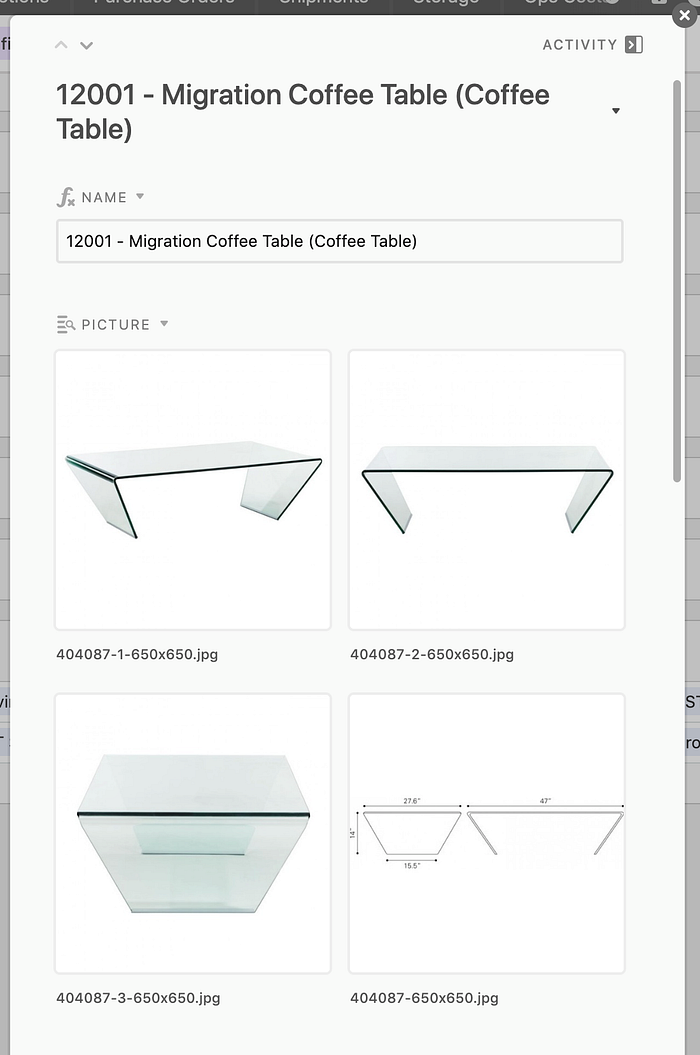
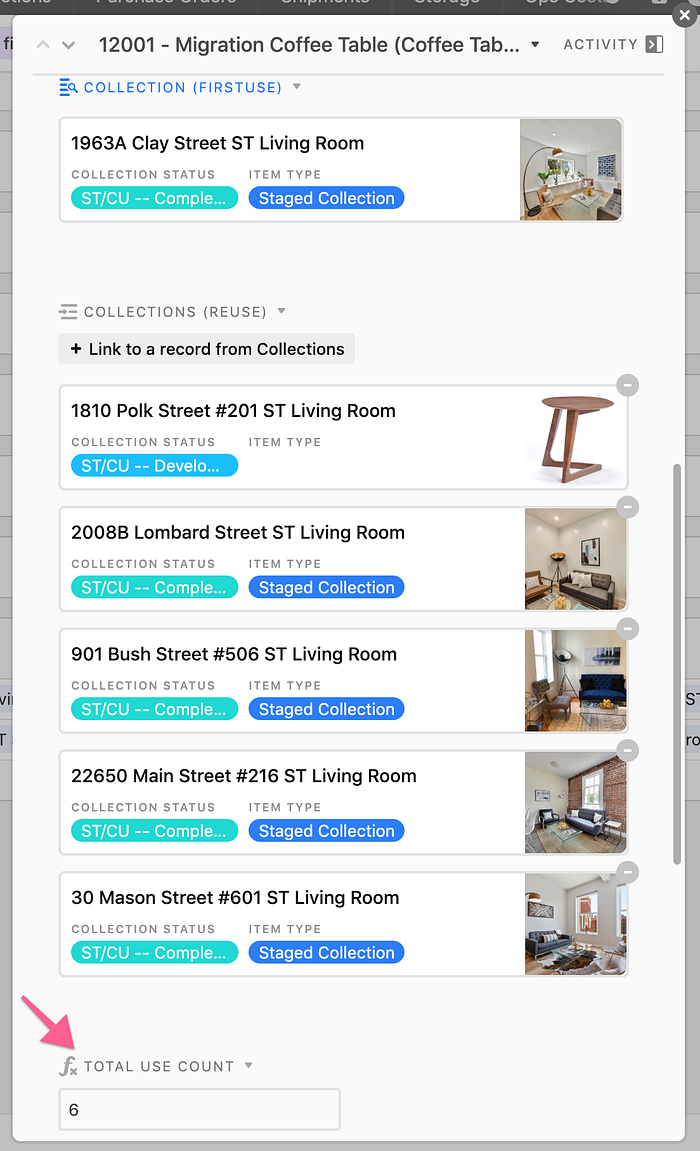
Each time an item is associated with a collection, the use count will adjust accordingly
Labeling
Each item (down to an individual pillow) is labeled with a specific numeric identifier that corresponds to the record in Moovin DB. We can print these right from Moovin DB.
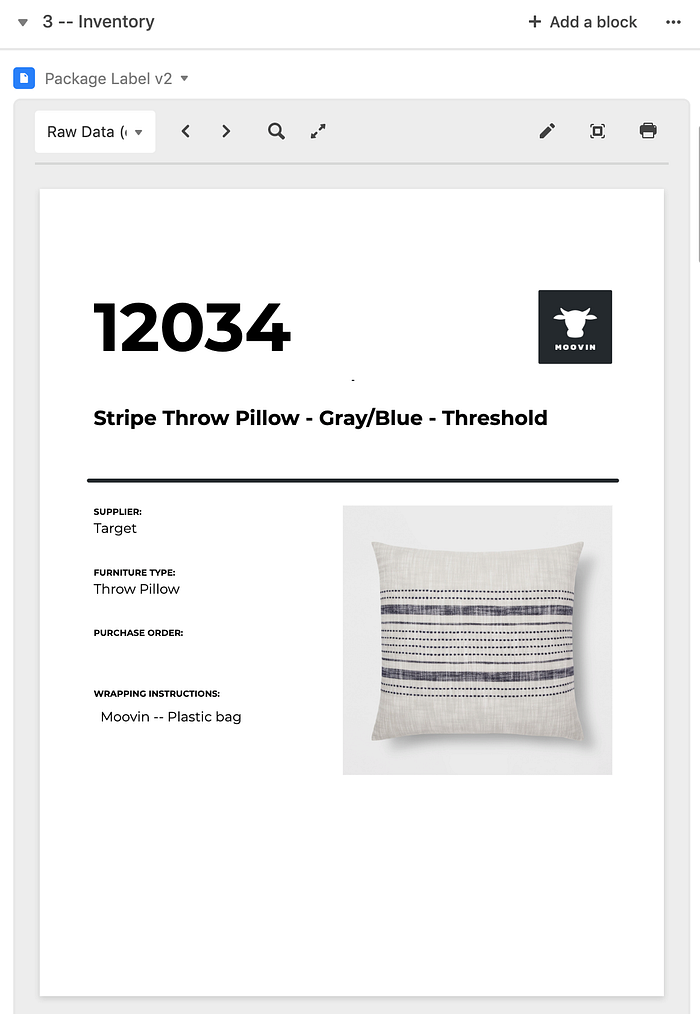
Labels can easily be printed right from Moovin DB
Labeling is key to Moovin operations so we can quickly scan storage areas, find items, and load them onto a truck for delivery. Rather than saying “this design needs the gray pillow with the blue stripes” we can say “this design needs 12034” and know exactly which item is being referenced. We also use clear bags to store all softgoods (pillows, linens, etc) so it’s easy to see what’s in each.
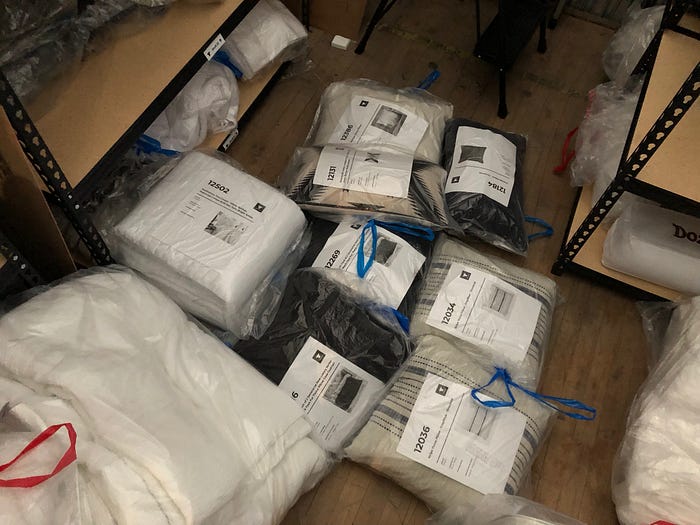
Each individual item is labeled
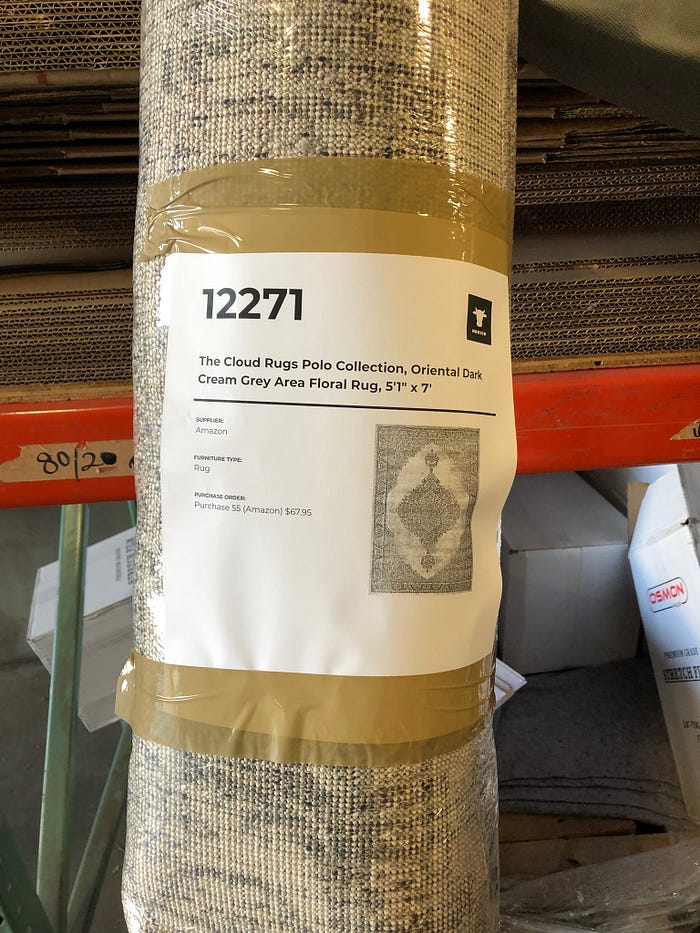
A closeup of Moovin’s labels. All show a picture of the item.
Designs & Templates
Moovin DB has numerous templates that the design team has assembled. When a new project is started, we often use these templates as a starting place for a new design. Moovin has 3 design types: Staged, Custom and Select.
Staged Design: This is our term for home staging. Contracts last for as short as two weeks to as long as three months. Up until now, Staged Design has been a very customized process of manually assembling a multitude of items for a project.
Custom Design: This is our terms for consumer designs. Essentially Custom Design is the exact same thing as Staged Design, except that it is for the consumer to actually use and the rental duration is 12 months. We have done a few Custom Designs.
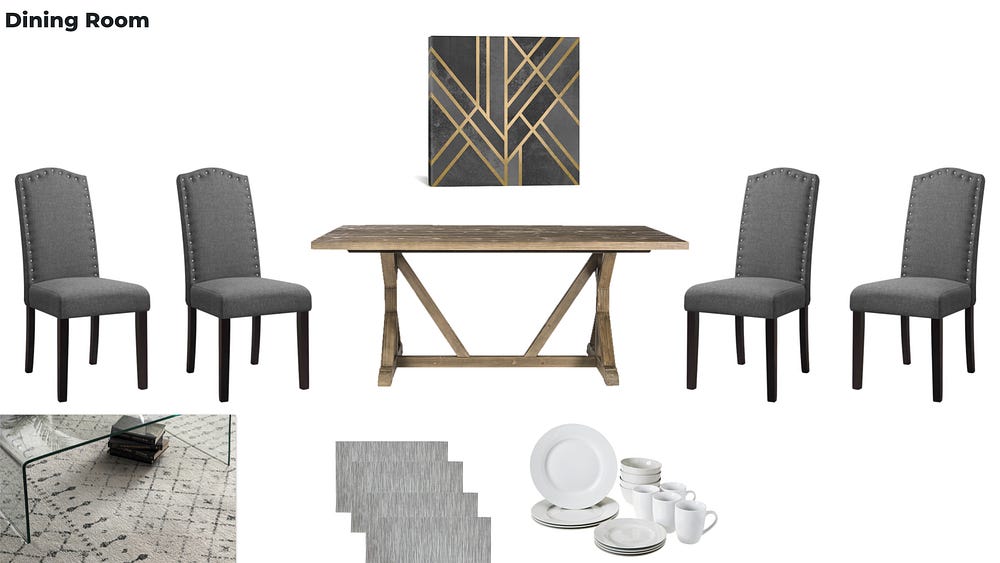
Select Design: These are our design templates. Example:
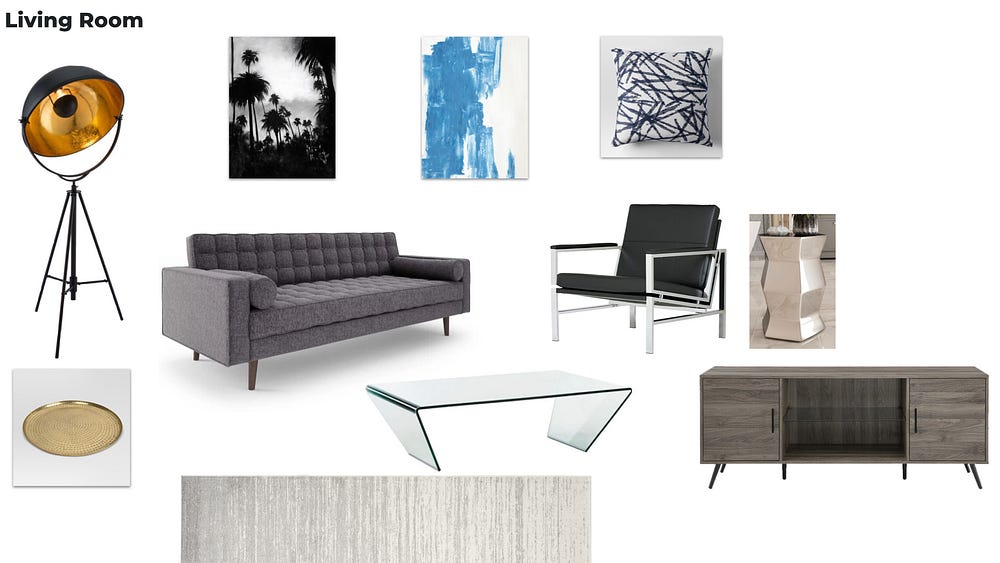
Hollywood Living room

Hollywood Dining Room
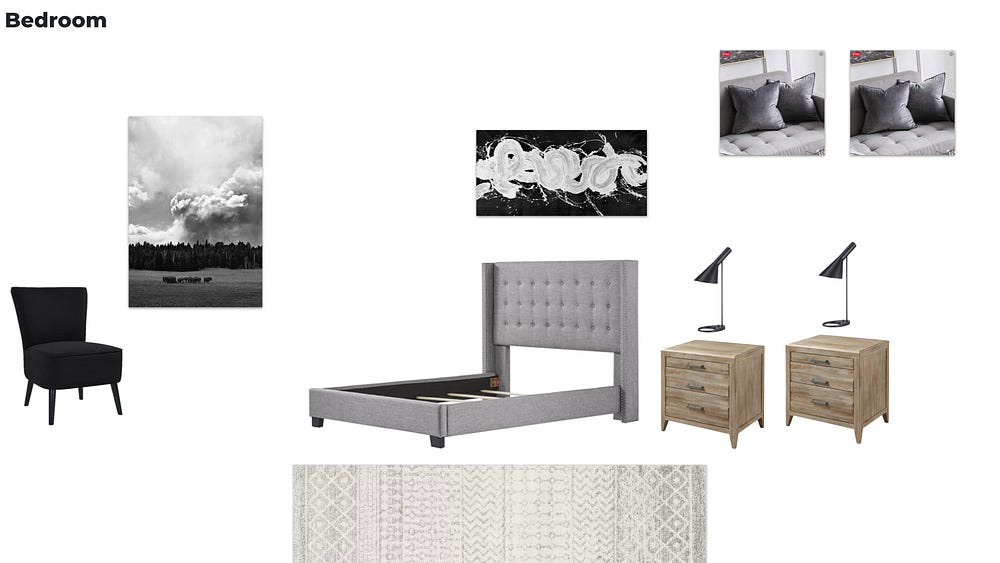
Hollywood Bedroom
We actually started the company entirely with this concept, but quickly realized the limiting factor of fixed designs is needing to stockpile inventory (capital solves this problem to a large extent). This is a result of home furnishings supply chains that can often require substantial lead time for ordering or risking “out of stock” limitations. For this reason, we learned that a better approach to design (certainly at the outset) is treating every project as a custom design project so that you can purchase or choose inventory that is just right for that project and is also available to be purchased for that project.
In the 14 months since starting operations, what we have learned is that each property is a little bit different in terms of space and layout, so coming up with the right design is NOT a one-size-fits-all idea. Instead, we need to be able to modify design templates based on space and layout considerations as well as based on consumer preference and feedback. Starting with a template is definitely an effective way to speed up the process, but most of the time, some adjustments are needed. Moovin DB allows the designer to start with a template, and then easily modify it as necessary.
Collections
Collections represent a given room worth of furnishings (e.g. a living room) and often include a mix of newly purchased items (Firstuse) and items that we already had in inventory (Reuse).
Within a collection record, we can easily add items to the collection and Moovin DB will update the inventory item to list it as being in use and remove it from the available inventory.
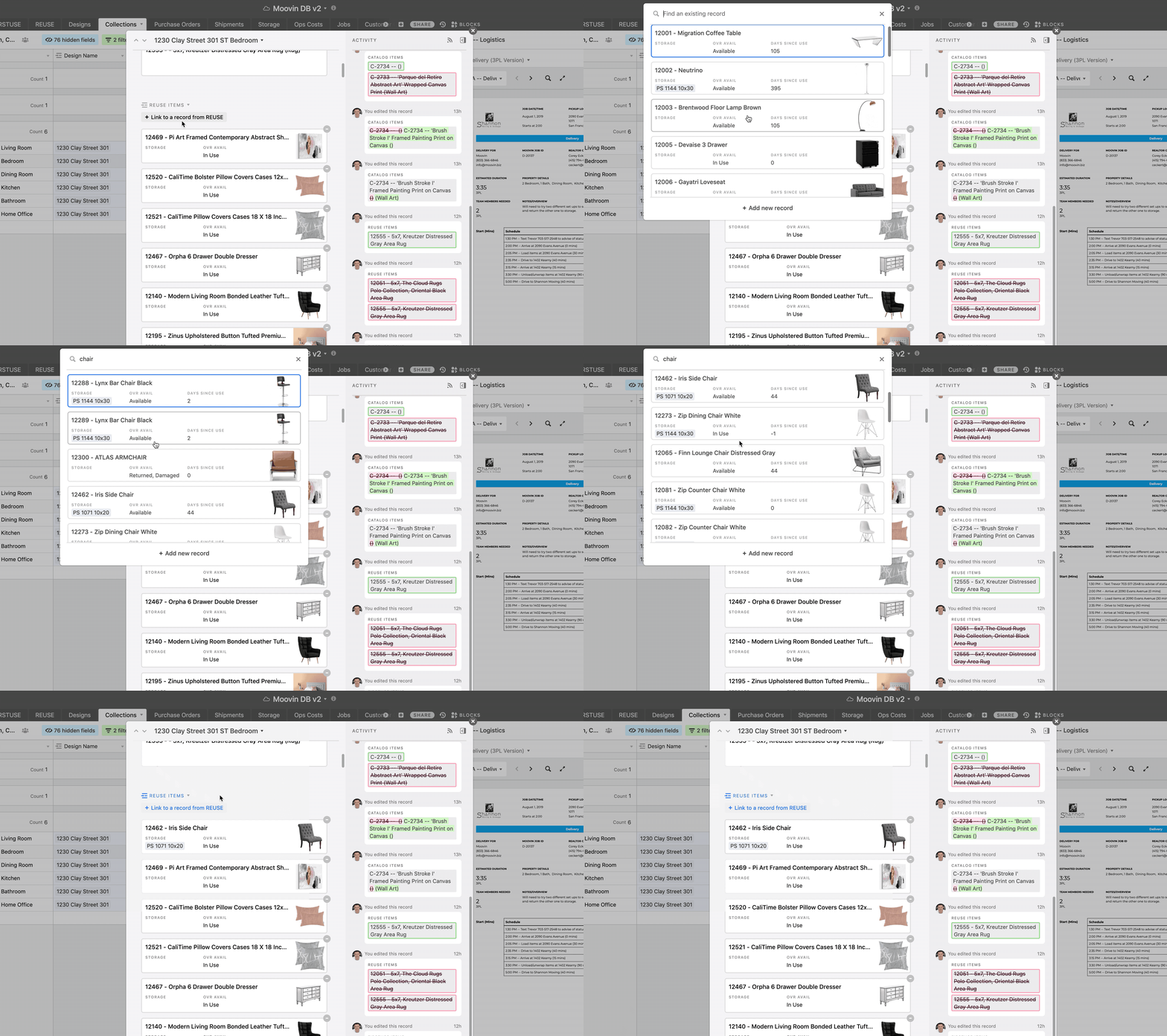
Video showing how to add an item to a collection
Once a collection is finalized and all items that we plan to include in it are added, we can take the images for each item and assemble them into a Design Brief that shows the customer in slide form exactly what their design will look like.
We do this so the consumer or Realtor can offer feedback about the design (if any) and we can make changes before proceeding to delivery and installation.

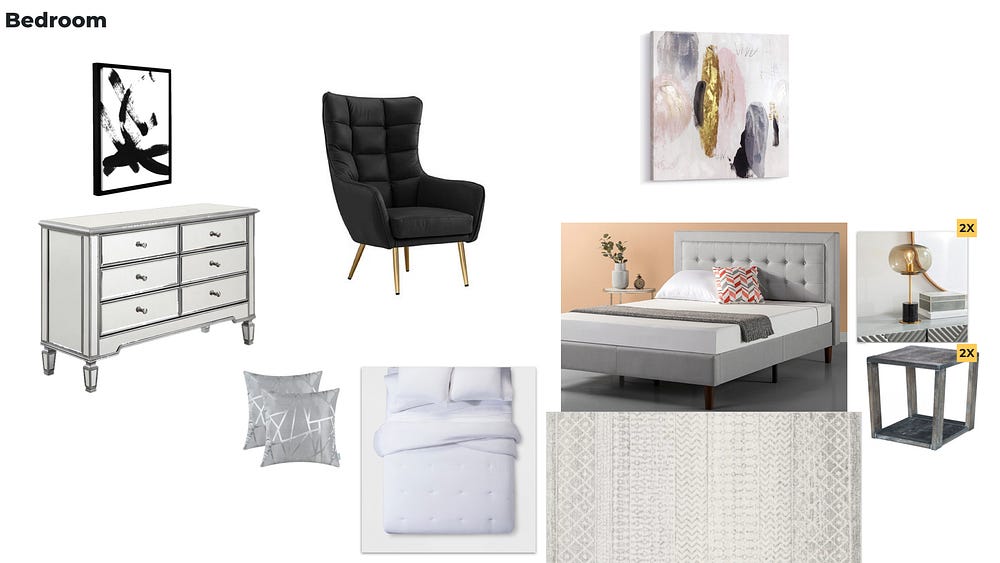
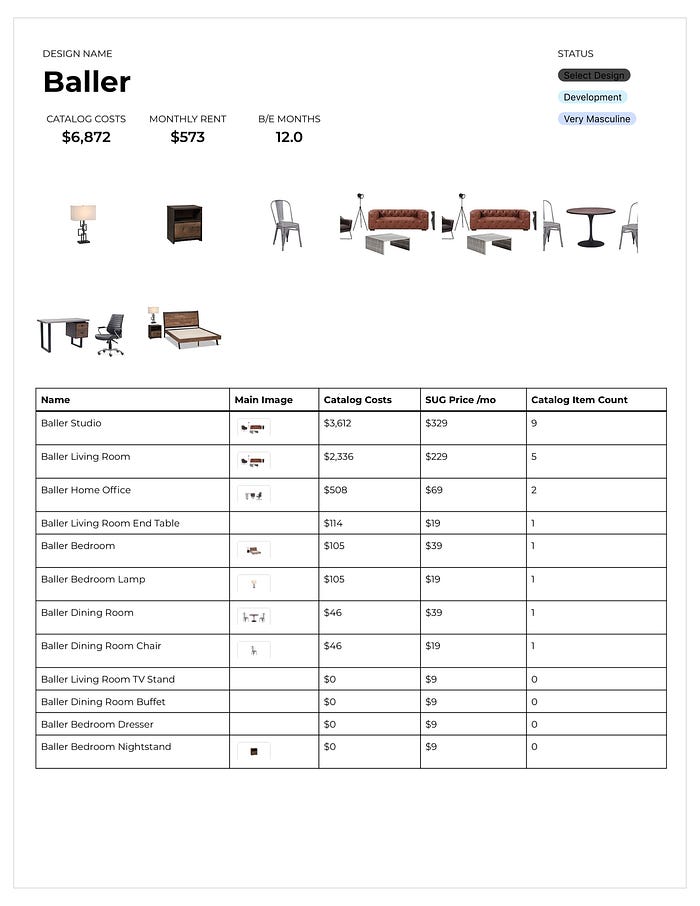
For each Select Design, we can easily see the costs and suggested rental amounts based on a given breakeven point. It is this desired breakeven point that drives how much we will charge for monthly rent for a given collection. In most instances for a Custom Design with a 12-month lease term, we use somewhere between 10–12 months for breakeven. As such, for brand new inventory we “break even” in 10–12 months for items that have a useful life of 60 months or more. After breakeven, each month is profitable.
Purchase Orders & Shipments
Warehouse Management & Storage
Each owned item has a field for storage location so we can easily understand where to look to find what we’re looking for. We describe each storage unit so it is best understood at a glance.
- PS 1144 10x30 = Public Storage Unit 1144, which is 10x30 in size.
- PS 1071 10x20 = Public Storage Unit 1071, which is 10x20 in size.

Given our size to date, we haven’t used this feature much because everything is stored in one of two storage rooms, but as we grow and get additional storage capacity, this function will become more and more useful.
Customer Contracts & Payment
One of Moovin’s value propositions is its flexibility. Indeed, we bill ourselves as a “Flex Furnishings” company, so being flexible with payment is imperative.
Moovin DB generates all the inputs to feed into a unique contract and payment structure for each consumer. This example below is for a staged project where the customer selected a 1 month duration.

A Moovin Staged Design Contract
In the screen above, when the user clicks through on the “Complete Payment” button, they are taken to the payment screen, where they can check out and where recurring payments are set up.
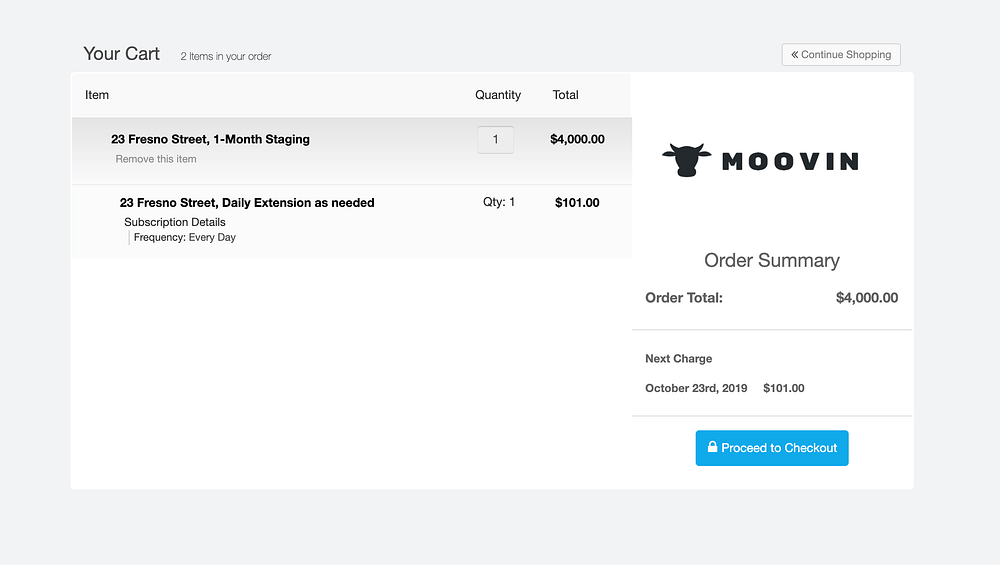
Moovin DB has the ability to generate highly customized and bespoke payment scenarios depending on a particular customer’s selections and needs. This example below included Staged Design with recurring billing, moving, and storage. Storage has monthly billing, whereas Staged Design has daily rebilling. Moovin DB handles such complexity with ease.
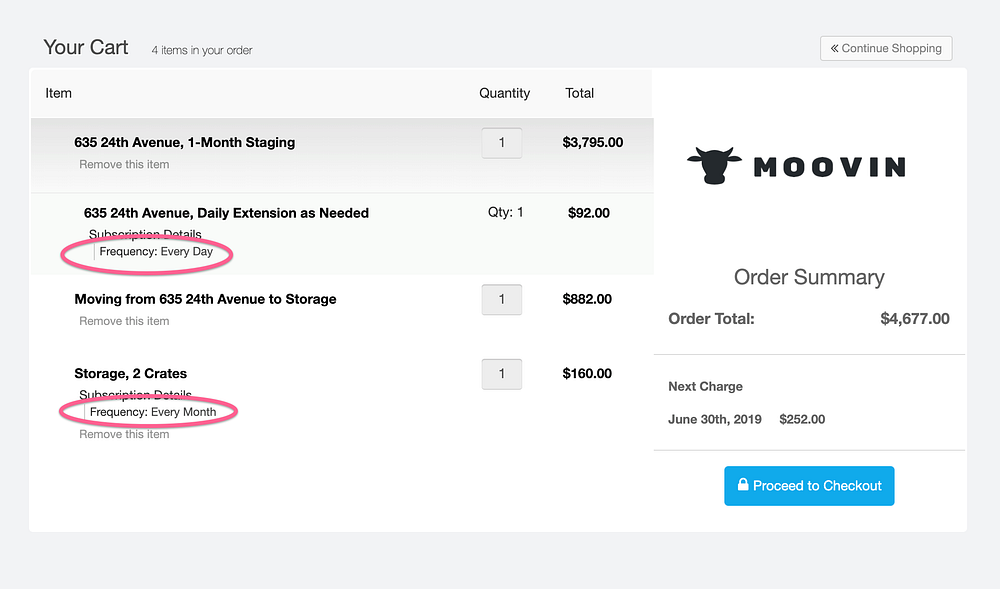
Moovin shopping cart showing variable payment structures
Logistics (Staged, Custom, Moving, Receiving)
Moovin leverages 3rd party logistics (3PL) companies for all furniture deliveries and pickups, as well as moving.
Moovin DB organizes all the details for each job into a PDF that is sent to the Carrier in advance. We’ve worked closely with 3PL carriers to make the format as easy to understand as possible and as user friendly as possible for moving teams with a variety of skills sets as well as scheduling personnel.
Note: We decided against a “tech” approach of sending this info via app or mobile web to the moving companies and their field personnel due to the varying skill sets, lack of smartphones, and the cost and complexity that such a tech approach would require, at least for now. Paper and printing is easy for everyone to understand, consistent with existing workflows moving companies have, and doesn’t need a signal or battery to work for the guys in the field.
Each PDF includes:
- Full schedule of activities whose timing and scheduling are informed based on historical averages
- Space to note actual times and starts to improve algorithmic accuracy for future logistics jobs
- Details for scheduling personnel such as estimated duration and needed team members
- Property and parking details for the teams
- Contacts and contact info readily at hand
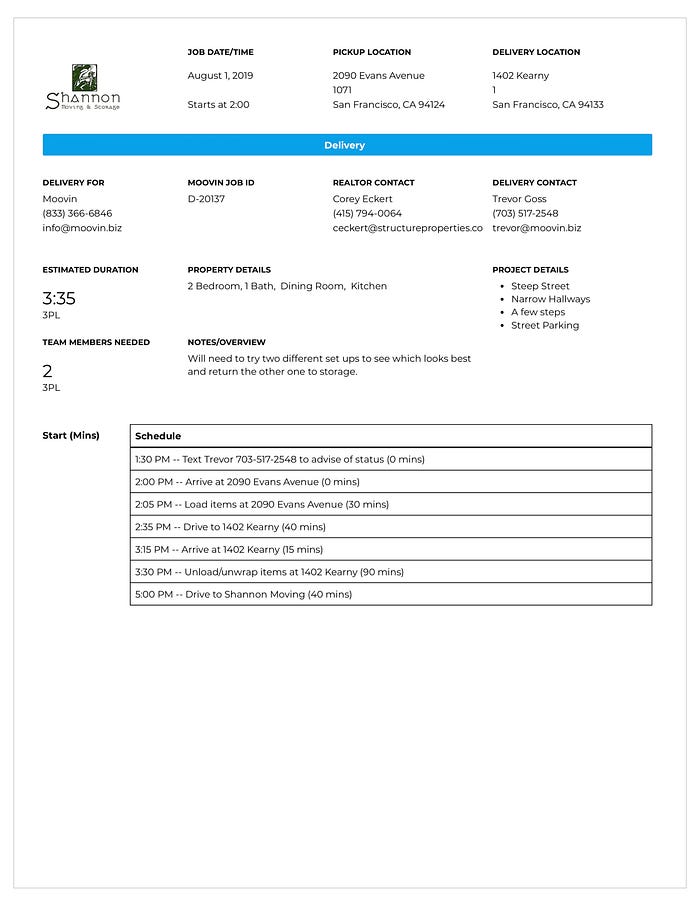
Logistics Job Printout
Creating this printout and adding items to the schedule is easily done from within Moovin DB.
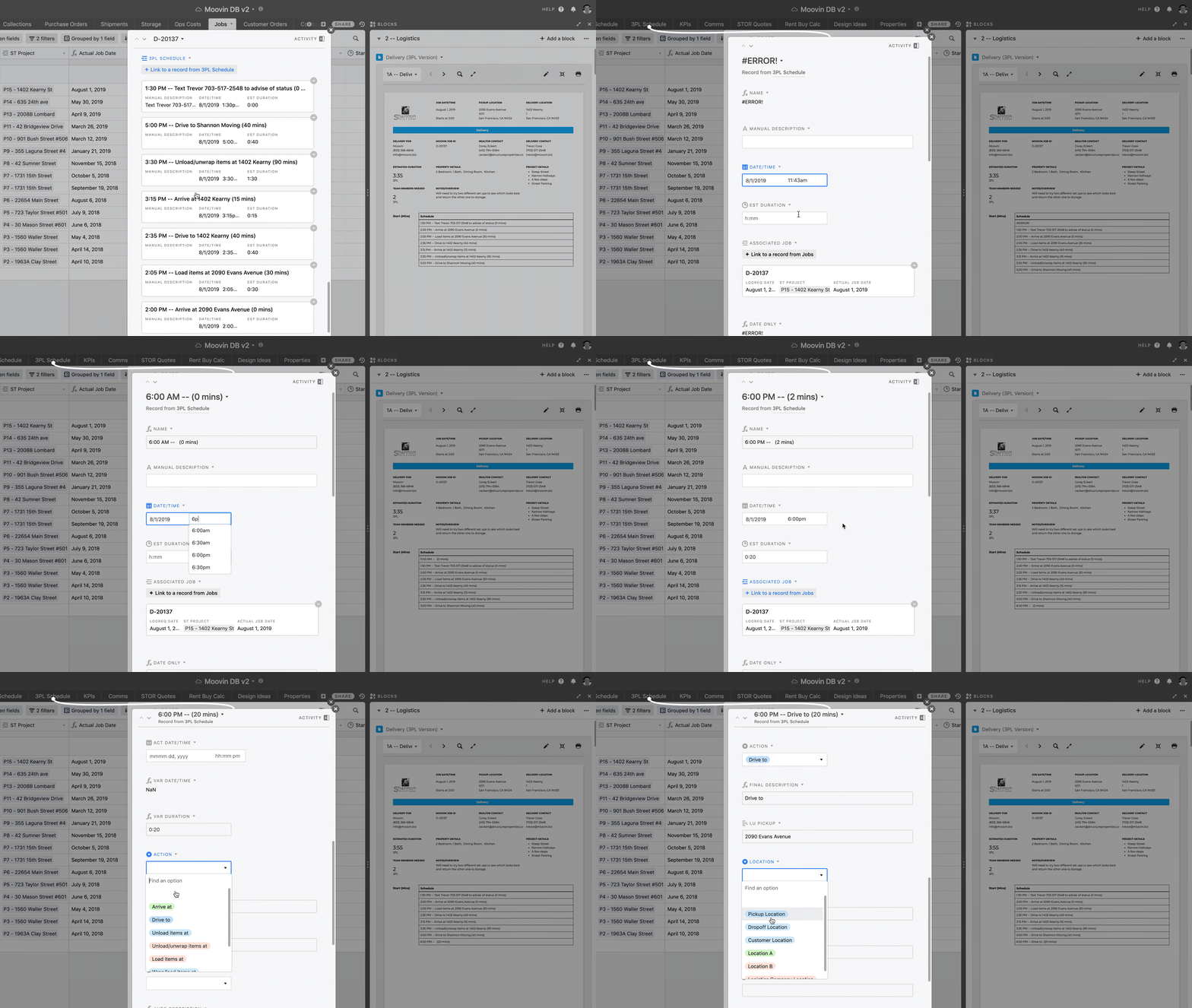
Video showing how to add a new schedule item for a logistics job
After a job is complete, we can enter in actual start times and durations to improve future jobs timing estimates.
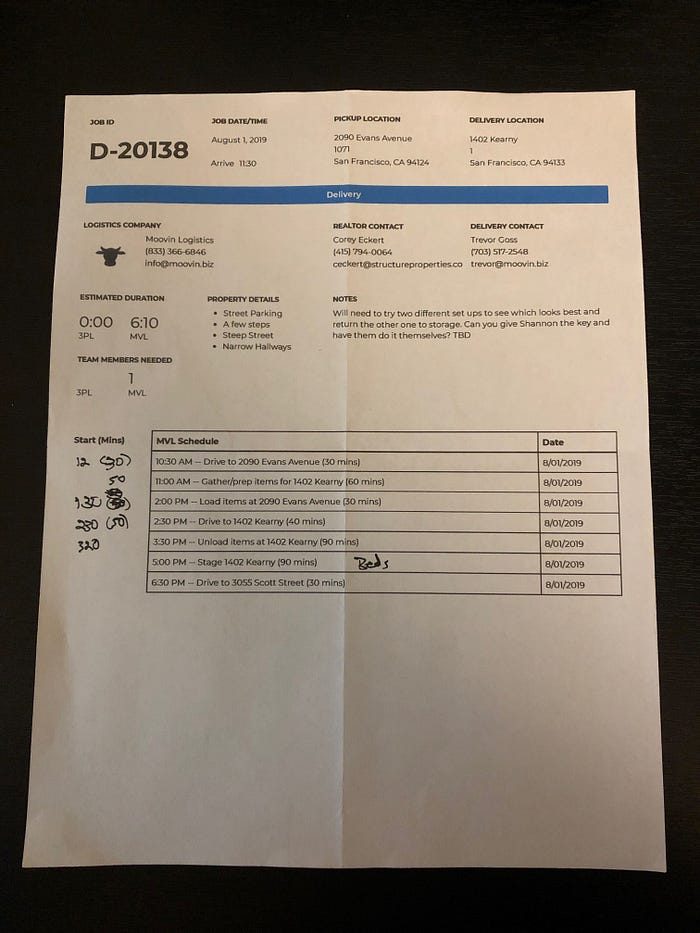
Scanned Job Printout showing actual start times and duration
Quotes (Staged, Custom, Moving)
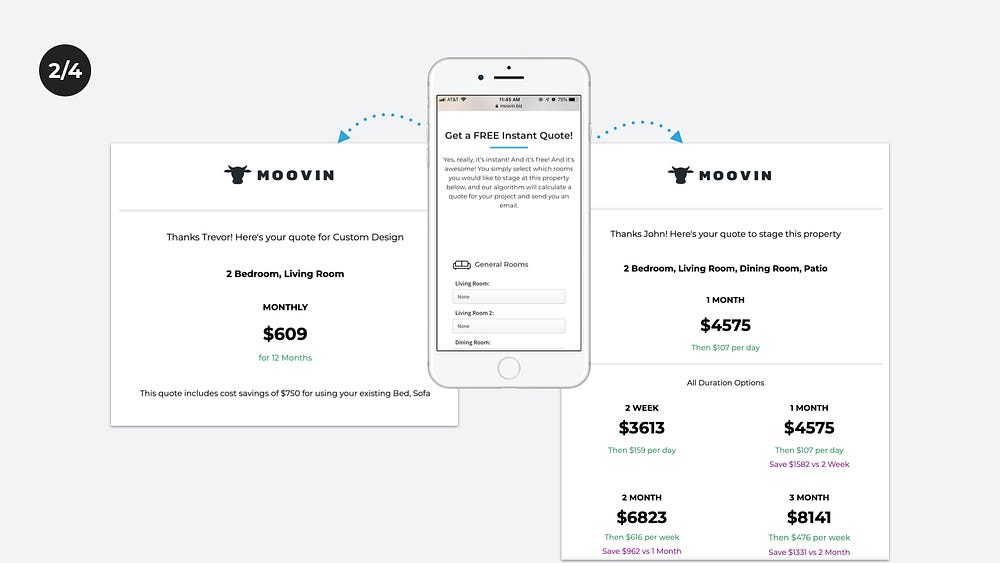
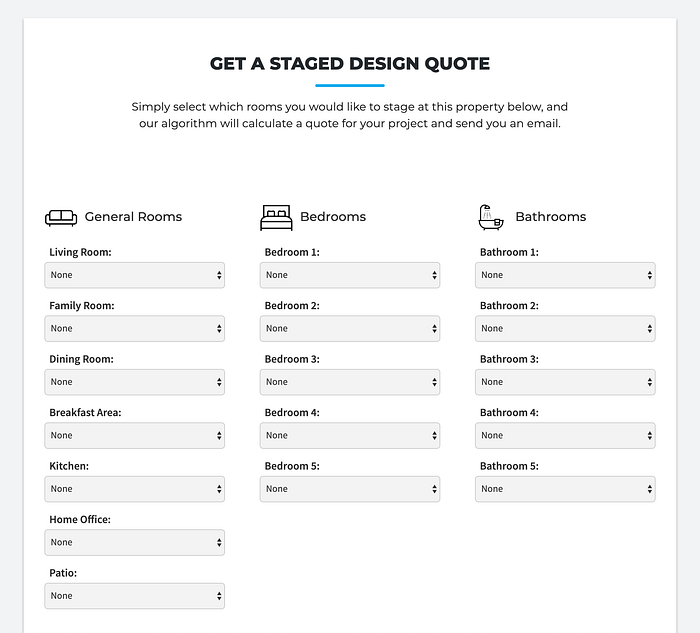
From Moovin’s website on desktop or mobile, a visitor can quickly get a quote for either Staged Design or Custom Design.
From moovin.biz/staged
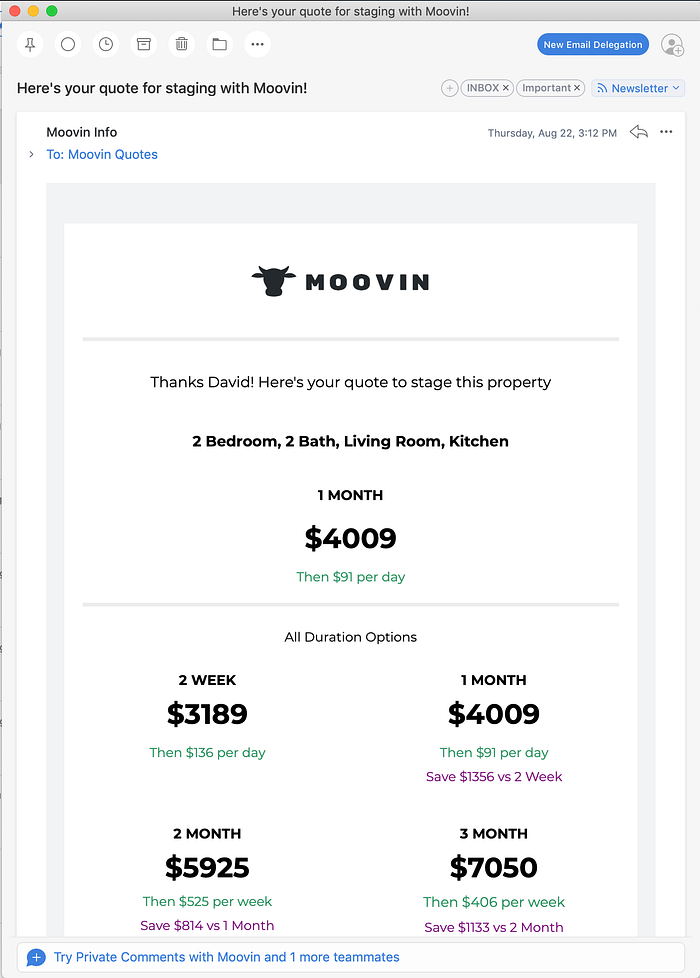
For Staged Designs, the user (usually a Realtor) can select a rental duration as short as 2 weeks or as long as 3 months. When the user submits the form, Moovin’s algorithm will instantly analyze the rooms specified as well as other information about the quote to return a price for each rental duration. The quote will also show how much the recurring billing will be after the rental period expires.
Email quote for Staged Design
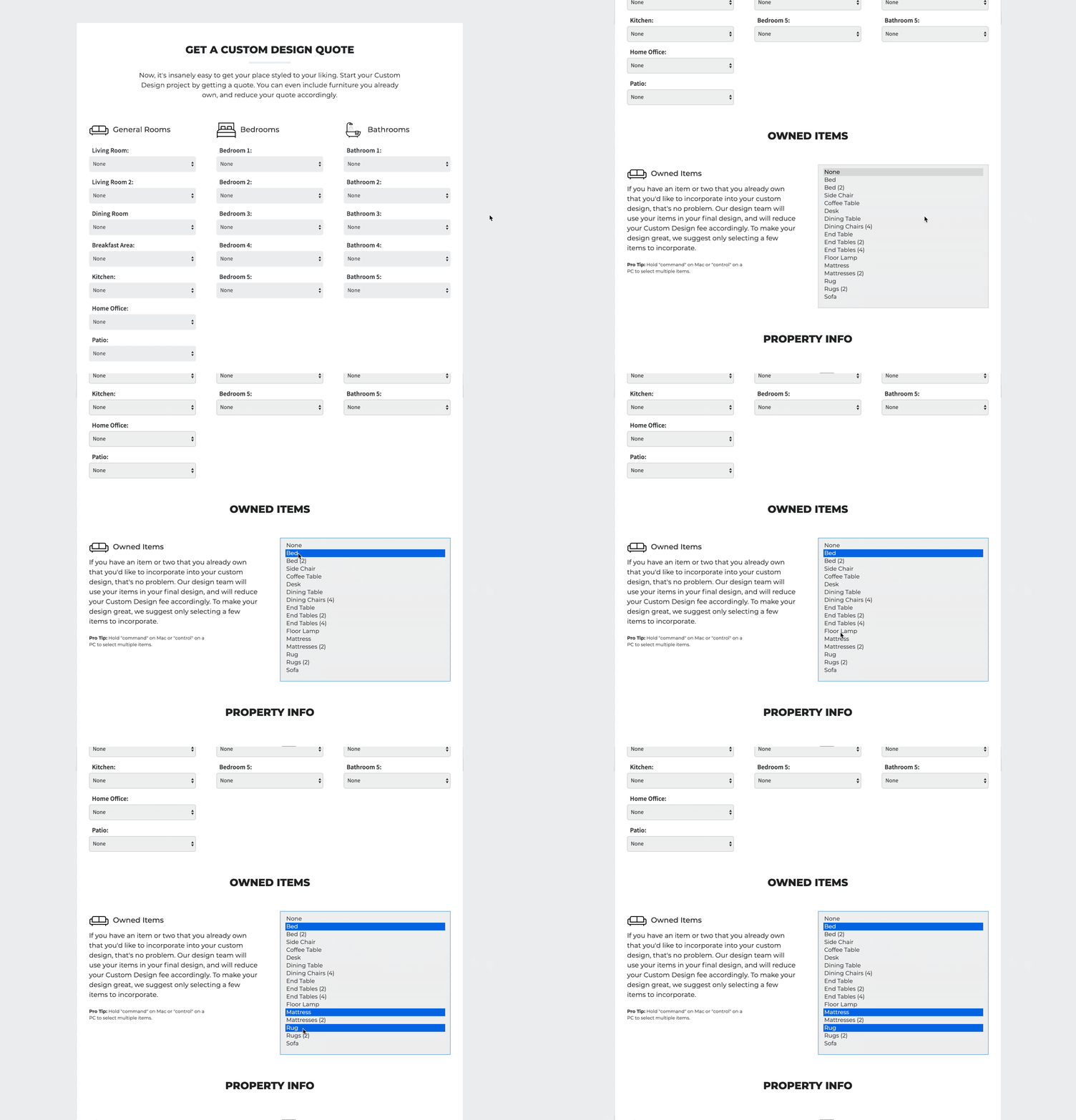
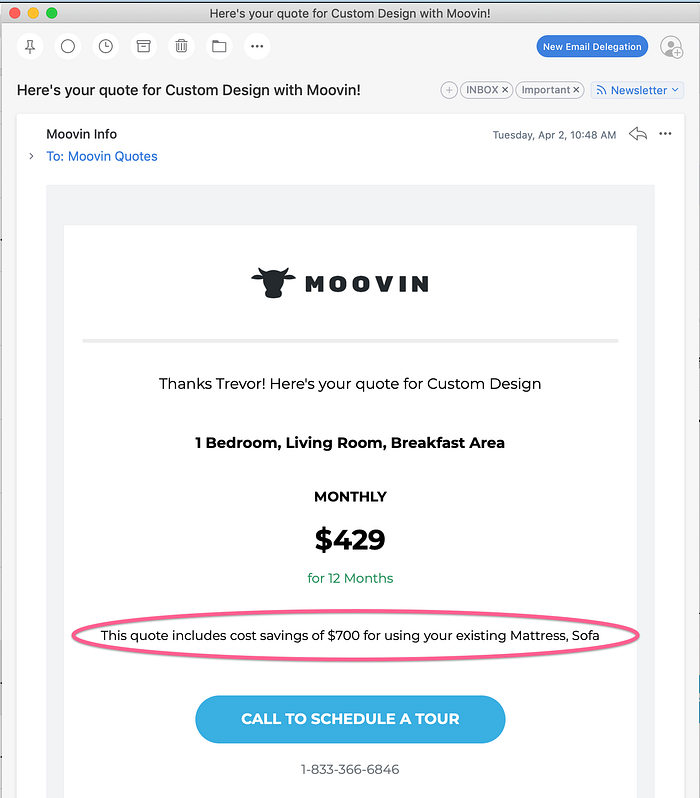
For Custom Design, there is a similar workflow. However, because the user of Custom Design is a consumer who intends to live with this design, Custom Design offers users the ability to specify any furnishings they already own that they want included within the design Moovin creates.
from moovin.biz/custom
When the user specifies owned items, Moovin’s algorithm will factor those items into the quote it sends out and adjust the price accordingly.
Email quote for custom design
Lastly, users can also get a quote and book standalone moving services too (absent any rental of home furnishings).
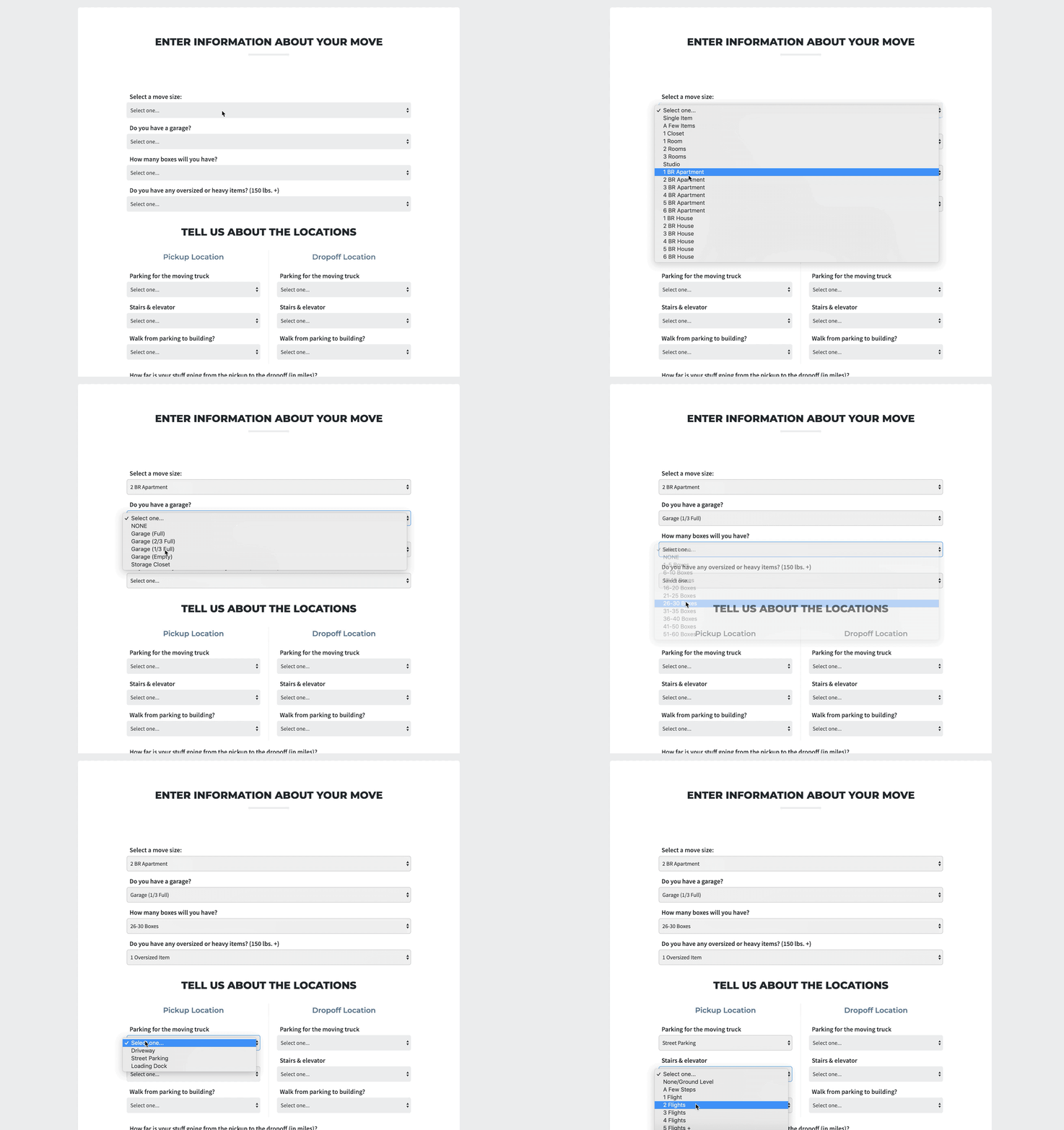
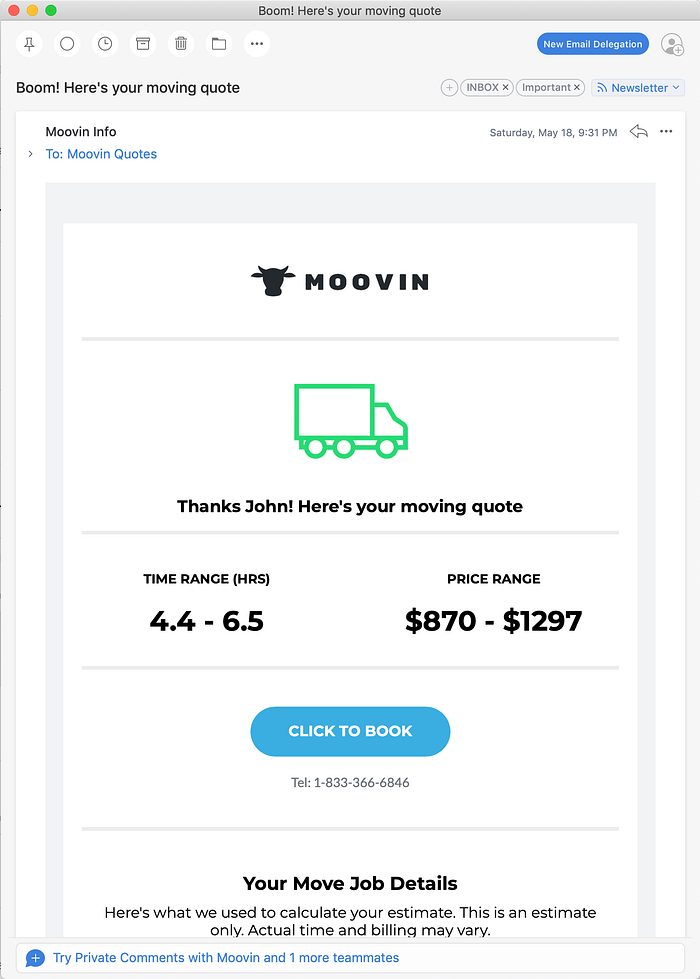
Quote Workflow for Moving Services
Moovin’s algorithm returns an estimated time and price, instantly, based on the details a user specifies about his move.
Financial & Managerial Reporting
Moovin DB automatically calculates financial performance on a project by project basis, bringing in the inventory used in each project, the logistics costs, payments made, etc. This helps us analyze which projects and customers perform best, where we can improve, etc. In a sports analogy, reviewing this data is the equivalent of watching game films.
In this particular example (our best property in terms of return %), you can see in the top right corner it returned a cash return of almost 10x! All of the information about the project is pulled in from other places in Moovin DB (including the costs of the furnishings used, the costs of the logistics to move stuff in and out, the quoted amounts for the project, etc).
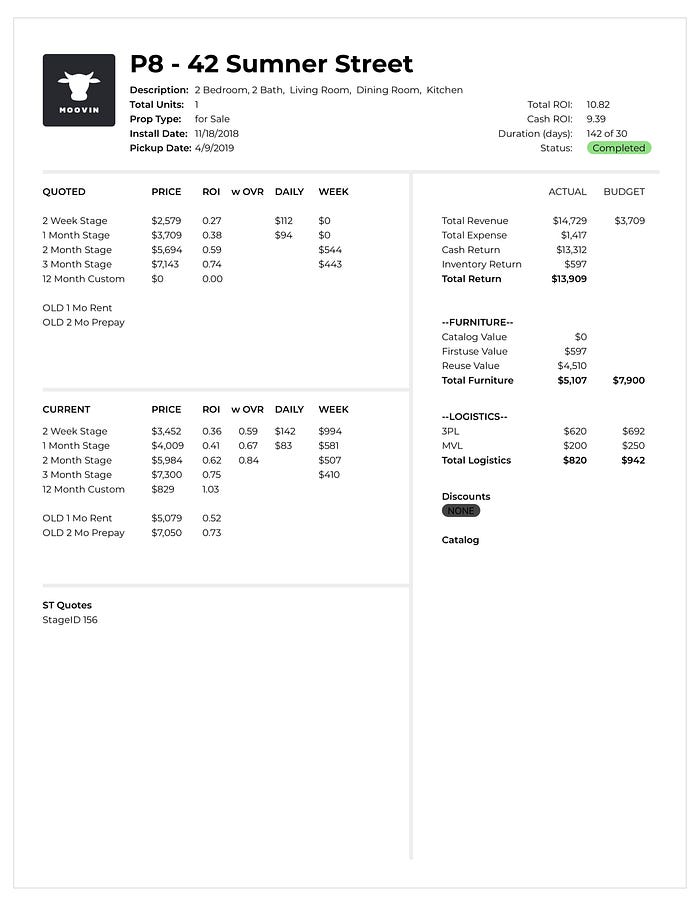
Reporting for 42 Sumner St Project
- Total ROI = (Total Revenue + New Inventory) / Total Expense
- Cash ROI = Cash Return / Total Expense
Moovin DB also aggregates financial metrics across all projects types. The chart below is showing revenue from Staged Design, and helps us establish benchmarks for KPIs such as logistics costs, inventory costs, and fixed ops costs as a percentage of revenue.
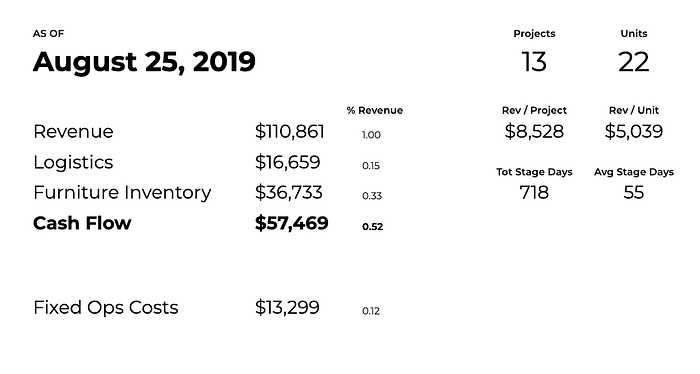
Aggregate financial metrics calculated by Moovin DB
- To date, Moovin has generated an average of $5k+ for staged projects that last an average of 55 days across 22 units.
- Logistics costs are running 15% of revenue
- Inventory Costs are running 33% of revenue (owing to focus on Staged Design to date)
- Cash Flow (margins) is returning 52%
- Fixed Ops Costs account for another 12%